Cloud Engineer Academy Module 1 Blog - Cloud Fundamentals
I’ve embarked on a 12 week Cloud Engineering Academy, with the aim to increase my knowledge and skills in cloud computing. This is my first blog and I will be using this blog space to post summaries of my weekly study. The blog is currently hosted on Github and I am aiming to move the blog onto my cloud host as I progress through the course.
Week 1
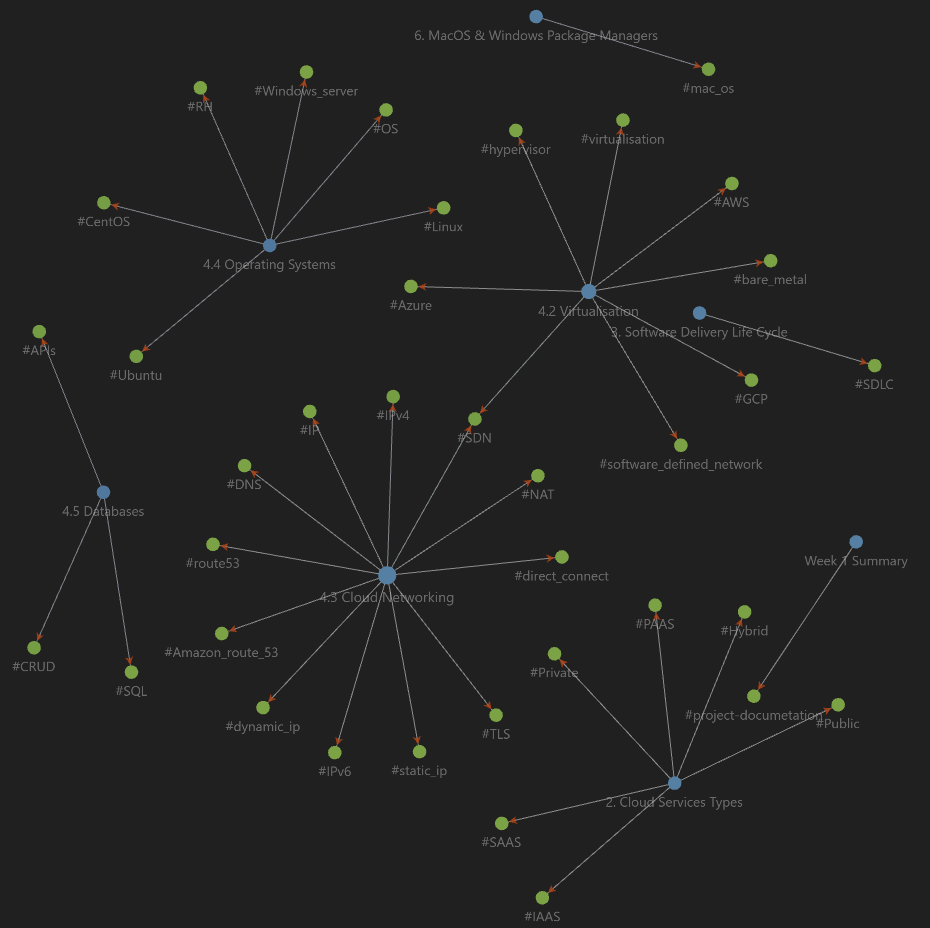
To make my weekly summary, I start by making a list of topics/subjects that I study this week from my Obisidian note titles. Once I’ve compiled this list, I then test my recall by attempting to write down all the information I retained about the subject. I then input my summaries into Bard for a quality control/accuracy check and review the items that bard highlights against my Obsidian notes. Below is my summary for week 1:
Cloud Service Types
IAAS - Infrastructure as a Service - Compute, storage etc (EC2, S3) - Base infrastructure that you can build whatever you want on. PAAS - Platform as a Service - The underlying infrastructure is looked after by the service provider (hardware and OS), meaning you can focus on the service/app you are building/deploying (ex: Elastic Beanstalk, Lambda) SAAS - Software as a Service - Elastic, Adobe Photoshop, AI images, M365, Teams etc
- Onprem - All physical infrastructure and services are provided “on premises”.
- Cloud - All services are provided through the cloud. All hardware is through the providers Data Centre. Maintenance, security, power and cooling for the physical infrastructure is undertaken by the Service Provider.
- Hybrid - Combination of both onprem and cloud infrastructure.
SDLC
Software Development Life Cycle DLC models: Waterfall and Agile
Sequential approach: Requirements (scope), Design, Development, Testing, Deployment, Maintenance.
AWS account creation
- Created admin account
- Added MFA to root and admin accounts
- Set billing alerts
Virtualisation
Baremetal, type 1 hypervisors vs host based virtualisation Virtualisation of hardware (cpu and memory for O/S and compute tasks), storage (multiple disks seen as a single storage device)
The ability for a single server to act as multiple servers by allocating resources (cpu, memory etc) across virtual machines. Example 32 core CPU and 64GB of ram server can become 4 virtual machines/servers of 8 CPU cores and 16GB of ram. Resources do not need to be equal across VM’s and should reflect the amount resources required for the application/task.
Cloud networking
Introduction into networking engineering concepts of IP addressing, DHCP, DNS, NAT and protocols (TCP/IP, HTTP/HTTPS). Overview of networking hardware (routers and switches) and the ability to deploy virtual hardware in cloud deployments.
Operating Systems
Overview of three main O/S’s (Windows, Linux, macOS). Touched on the different Linux distros (CentOS, Redhat, Ubuntu, SELinux etc), that many are open source and low cost.
Databases
Databases were split into two main types, relational and nonrelational (nonSQL). Relational is used to for large datasets with similar inputs, such as maintaining the name, address, DOB etc for staff and students at a school/university. NonSQL is usually used when varied datasets will be ingested and flexibility is required. Can be column based, graph, key-value, document etc type database.
Captain CRUD: Create, Read, Update, Delete. Database strings/command types. Can be used on both Relational and NonSQL database types.
Labs/projects
- AWS account setup - touched on above
- Completed basic networking engineering commands such as ping, find ip address (ipconfig/ifconfig, web ip check), traceroute/tracert, curl requests.
- Windows and macOS setups - Discovered Chocolatey, as package manager for Windows, I love it. Ubuntu - sudo apt-get install “program name”, I found the Chocolatey similar to Debian/Ubuntu advanced packaging tool (APT), apt-get install “program name” vs choco install “program name”.
- Install Choclatey in Powershell:
- Set-ExecutionPolicy Bypass -Scope Process -Force; [System.Net.ServicePointManager]::SecurityProtocol = [System.Net.ServicePointManager]::SecurityProtocol -bor 3072; iex ((New-Object System.Net.WebClient).DownloadString(‘https://community.chocolatey.org/install.ps1'))
- Basic Chocolatey commands:
- choco install “program name”
- choco list - displays a list of installed packages
- choco search “package name” - searches for available packages
- choco outdated - will provide a list of outdated packages on the machine
- choco upgrade “package name” - upgrade the outdated packages identified in the previous command
- choco uninstall “package name”